- Built-in solvers:
- Advanced numerical
methods and algorithms from the
GNU
Scientific Library (GSL) and netlib
/gams;
- cubic spline toolkit;
- root finding in one and multi-dimensions
using MINPACK/GSL and HOMPACK
(multidimensions), single parameter curve tracking
with CONTIN and HOMPACK;
- numerical integration of a real function of a
real scalar (QUADPACK/GSL) and a real vector
variable over hypercube (GENZPAK
and Monte Carlo) and simplex domains (GENZPAK);
- Tchebyshev polynomial toolkit, numerical
differentiation of a real scalar and vector function
in one and multi-dimensions, numerical div operator;
- Minimization of real vector functions of real
vector variable with MINPACK/GSL, CONMAX
and Proximal
Bundle (TOMS 811), NEWUOA
and differential
evolution ;
- Fitting and modeling
: least-squares and orthogonal distance
regression solvers provided by ODRPACK
and the GSL;
- Statistics toolkit, permutations, combinations,
outliers;
- Ordinary differential equations toolkit with
solvers for:
- Initial value problems: rk2, rk4, rkf45,
rkck45, rk8pd, rk2imp, rk4imp, gear1, gear2, bsimp (from
the GSL), adams method (from netlib), blended
implicite
method (BiM) and the backward difference
method as implemented in the package dvode (also
from netlib) ;
- Two-point boundary value problems:
ACDC/TWPBVP (stiff), COLDAE/COLSYS (mildly
stiff) and MIRKDC (non-stiff);
- Differential algebraic equations initial value
problem: MEBDFI, DDASKR and BIM
(all stiff solvers);
- Sturm-Liouville eigenvalue/eigenfunction
boundary value problem: SLEIGN2.
- Special functions (from AiryAi to Zeta, total of
more than 65 new functions);
- Random number generators: integer, discrete,
continuous, and histogrammatic in 1- and 2-D;
and their respective probability distribution
functions. Shuffling, choosing and sampling;
- Simulated annealing: basic (the GSL) and advanced
(ASA code);
- Partial Differential Equations in 1-D:
- Chaos and Signal Processing toolkit, based-on
or inspired-by the Time-Series Analysis Package ( TISEAN ) and recognized
sources from netlib and gams:
False nearest neighbors, average mutual
information; Recurrent maps, autocorrelation,
running average;
- Generalized cross-validating spline smoothing
(GCVSPL) for noisy data; piece-wise line
interpolation (STL2) of noisy data, and generic
b-spline fit in 1- and 2-D (DIERCKX).
- The Gnu Linear Programming Kit (GLPK): load/save
data in different formats (MPS, CPLEX LP, GnuMath),
and solvers (simplex, interior point, mixed
integer). Uses sparse matrix storage for constraint
matrix, can work with both dense and sparse
constraint matrices.
- Sparse matrices functionality: integrated solvers
SuperLU
, UMFPack
and SPARSKIT
v.2, which provide efficient (memory and
speed-wise) built-in sparse matrix functions solve, spsolve and det.
- Linear algebra functionality: ARPACK
which provides eigs
function for calculation of smaller number of
eigenvalues/eigenvectors for dense and sparse
matrices. It offers 4 general purpose iterative
routines, integrated with UMFPACK (complex
sparse matrices), SuperLU (real sparse matrices)
and LAPACK (dense matrices).
- Integer
data type which allows bit-wise logical operations
on integers (and,
or, not). Seamlessly incorporated in readb/writeb binary
I/O operations.
- Elements of the C
Clustering Library that are combined with such
from the (now extinct and vanished) SPRANNLIB.
- General purpose libraries: String toolkit:
access to ascii table, creation of a string matrix,
conversion of a real matrix to string matrix, gawk-type
manipulations on string matrices.
- Dedicated lists mks
and const with
conversion factors between MKSA (SI) units and others,
and the mathematical constants (different from unity),
respectively.
- Data visualisation and input/output:
- Grace
toolkit for visualization of the RLaB data arrays:
custom colors, stacked graphs, etc. See jpegs of grace
graphs created using rlabplus :
example
1, example
2, and example
3;
- Pgplot fully integrated for fast data plots (e.g.,
during iterative solving). Gnuplot fully supported
through pipe, or files: Predefined terminal options
implemented for eps/ps, and gdlib (png/gif/jpeg) and
xterm/wxt.
- Standard input/output functions: access to shell
commands, editing or viewing of data arrays, stderr
console etc.
- Handling of input/output using Uniform Resource
Locator (URL) protocol://address.
Supports protocols file,
HDF5, serial, http/https/ftp and
tcp.
HDF5 input/output is supported for all data structures
specific to RLaB (dense and sparse matrices, lists).
- GPIB add-on (shared object library. loader and
scripted library) based on the project linux-gpib.
Here, GPIB stands for General Purpose Interface Bus, and
is a communication hardware and protocol used for
scientific instrumentation, e.g., to communicate with
oscilloscopes, power supplies, source meters, and so
forth.
I wrote support libraries for bunch of instruments. Let
me know what you need.
- Export data to openoffice.org and matrix market (NIST)
format.
- Embedded interpreters (virtual machines) and special
solvers - all are disabled by default:
- Python
(requires ./configure --with-python).
Initializes/kills interpreter, executes commands, and
sets and reads python variables.
- Java
Virtual Machnine
(requires ./configure
--with-jvm=/location/of/your/libjvm.so)
Initializes the interpreter, calls different java
methods from their jar files, and sets or reads jvm
variables.
- ngspice
(requires ./configure --with-spice, requires
ngspice-25 or later built as a shared library)
Initializes/kills the interpreter, passes commands to
spice, runs spice scripts and files, and retrieves node
values from processed spice circuits. Irrespectively, it
can start ngspice processes, and read raw spice output
files.
- Documentation:
A first draft of a manual containing some 330 pages is
available for download (size 2MB). Test codes demonstrating
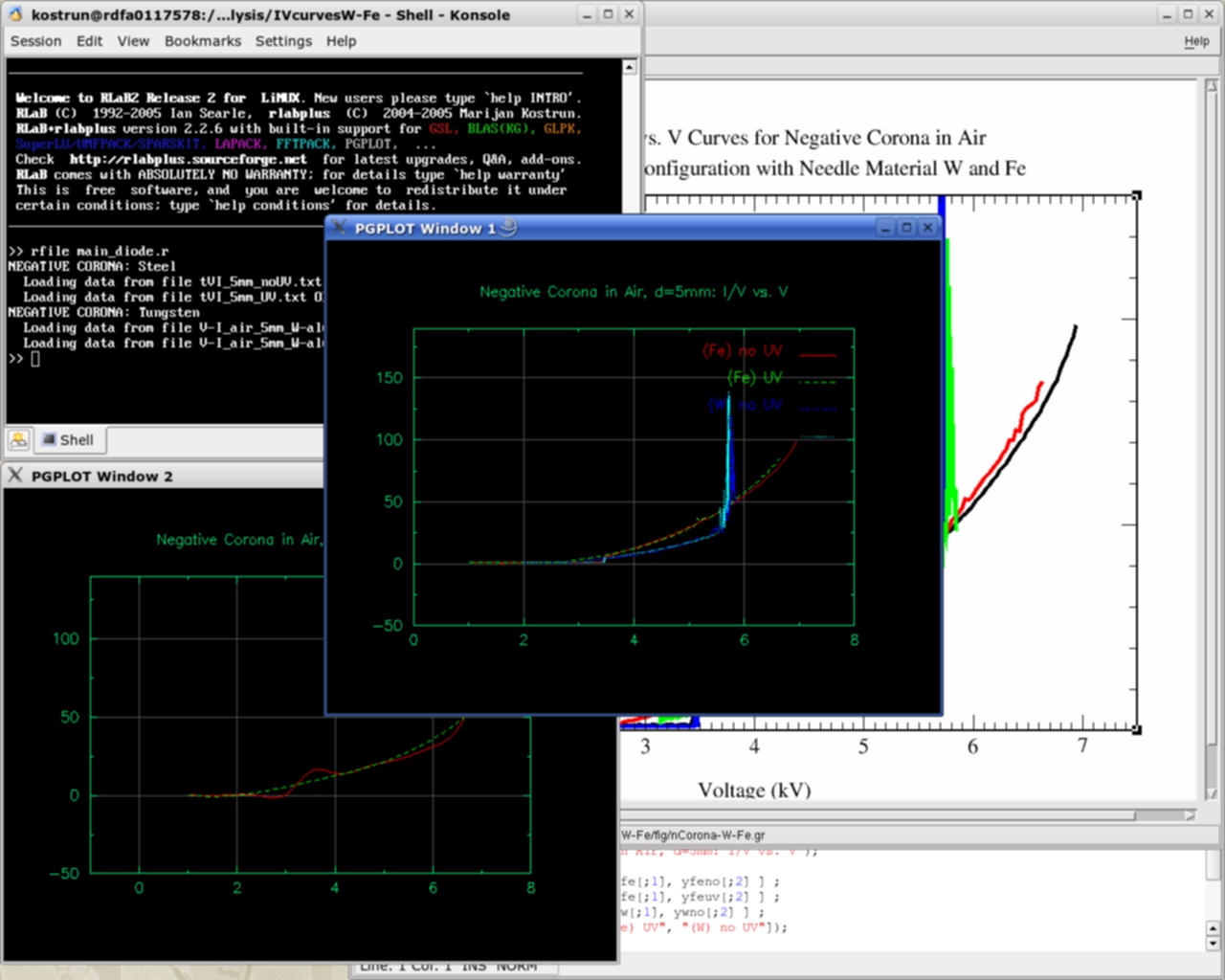
new features are available for download, as well. See a screenshoot
of RLaB in action.
On-line help is also available from the site Project Rosetta
Code.
Installation
Notes
rlabplus
provides RLaB2 for 32- and 64-bit linux systems. Each comes in
two archives, binaries only, and as source code. The source code
archive contains a number of
rconfigure scripts that
set recommended features, e.g.:
- rconfigure_low32 configures RLaB for single
32-bit processor, and supports minimalistic opensuse11.1
distribution,
(configure --with-pgplot), or
- rconfigure_rpi does the same for
RaspberryiPi running opensuse 13.1,
(configure --with-pgplot --enable-superlu
--enable-arpack --enable-glpk --with-gphoto2 --with-im)
All shared libraries require their development packages
(library, e.g.,
libopenblas_barcelonap-r0.2.9.rc1.so;
library soft link, e.g.,
libopenblas_barcelonap-r0.2.9.rc1.so
-> libblas.so, and its header files in system wide
directory
/usr/include). Some libraries are mandatory,
while the others are optional, where
- Mandatory
libraries are:
- math/io: BLAS, LAPACK,GSL, HDF, curl, X (if one
chooses accompanying pgplot package for plotting)
- system: termcap, readline, gnulib, f2c, gcc, ncurses,
gfortran
- Optional libraries are
- math: ARPACK (linear algebra), GLPK (linear
programming), superlu/suitesparse (linear systems based
on sparse matrices);
- plot: plplot;
- image/camera: gphoto2, imagemagick.
All libraries except ng-spice
are available from the installation media of any major linux
distribution.
I recommend using processor/cache optimized version library
openblas, or libgoto2, in place of BLAS, because it
significantly speeds up matrix computations.
- Optional libraries for embedded interpreters are
- python (tested on 2.7);
- java virtual machine; and,
- ngspice 25 or later (tested and working for ngspice
configured through, may require openmpi libraries)
root/of/ngspice> \
./configure
--with-ngshared --with-pic --with-gnu-ld \
--libdir=/usr/lib64 --enable-nobypass --enable-xspice
--enable-cider --enable-pss
--enable-ndev --enable-openmp \
--enable-gc
- Installation from archived source,
- Download rlab-2.x.y.z.src.tgz
- > tar xvfz rlab-2.x.y.z.src.tgz
- > cd rlab-2.x.y-gcc
- > ./configure [--with-ngspice]
[--with-jvm=/whereis/your/libjvm.so] [--with-python]
[--with-arpack] [--with-superlu] [--with-im]
[--with-gphoto2] [--with-plplot] [--enable-glpk]
[--with-suitesparse]
- > make [scanner] gc flibs clibs rlab
- > sudo make install
which will
- copy executable and shared libraries to /usr/local/lib{64}/rlab{64}-2.x.y-gcc{n}.{l}.{m};
- copy RLaB
header files to /usr/local/include/rlab.
(the headers are accessible through #include
<rlab/.....h> in your code, c.f. libgpib
on sourceforge web site).
- > sudo make uninstall
also works, and it will remove RLaB - however, different versions of
rlab, designation y above, can peacefully
coexist on single machine.
> make clean
is recommended before building from the source code.
- Installation from archived binary,
- Download rlab-2.x.y.z.bin.tgz
- > tar xvfz rlab-2.x.y.z.bin.tgz
- > cd rlab-2.x.y
- Start an installation script in the directory, which
will
- copy the binaries and the needed libraries in the
/usr/local/lib{64}/rlab{64}-2.x.y-gcc{n}.{l}.{m}, and
- copy the start script in /usr/local/bin/rlab2.
During building from sources, the flags
CFLAGS and
FFLAGS
are consulted. The binary version was built using
FFLAGS=CFLAGS=-O3
-fPIC .
rlabplus is built and tested on Linux
distributions opensuse 11.1, 12.1, 12.3, 13.1, on processors
ranging from Intel Pentium IV (32-bit), to AMD 64-bit Opterons,
and ARM (RaspberryPi). I hear through the grape wine, it
compiles without a problem of debian, ubuntu and fedora. Please
report any problems with building
rlabplus.
The known compilation issues are:
- ncurses
library has to be fixed on opensuse 11.1 and prior
installations. The two are provided, /usr/lib/libncurses.so.4
and /lib/ncurses.so.5.
The .so.5 is
required because of readline.
Do
cd /usr/lib{64]; ln -s
../../lib/libncurses.so.5 ./libncurses.so
to fix it.
- termcap library
has to be fixed on opensuse: The library is located
in /usr/lib{64]/termcap.
Do
cd /usr/lib{64}; ln -s termcap/libtermcap.so
./; .
- The garbage collector gc
(version 7.2) is part of the source tree, and is built
through
./configure
--disable-threads
Use make gc
to build it from the source root directory.
- Warning! RLaB parser is contained in the file lex.yy.c,
which is created by FLEX, version 2.5.35 and fixed
by hand.
If there are problems with the parser file (it suddenly
disappeared from source root directory),
make scanner
should fix it.
Marijan Kostrun,
Ph.D. Physics (2002), University of Connecticut. Past
gigs include
UConn,
ITAMP, and
Wesleyan
University. Currently researching on how to make the world
a better place one photon at a time, albeit with as few
electrons as possible.


 or RLaB2 Rel.3